All work

Social Nature

A brand portal where our team does the setup, and AI writes the report.

Role
Senior product designer
Team
1 PM, 5 engineers, me
Time
12 months, in production
Space
CPG, AI reporting
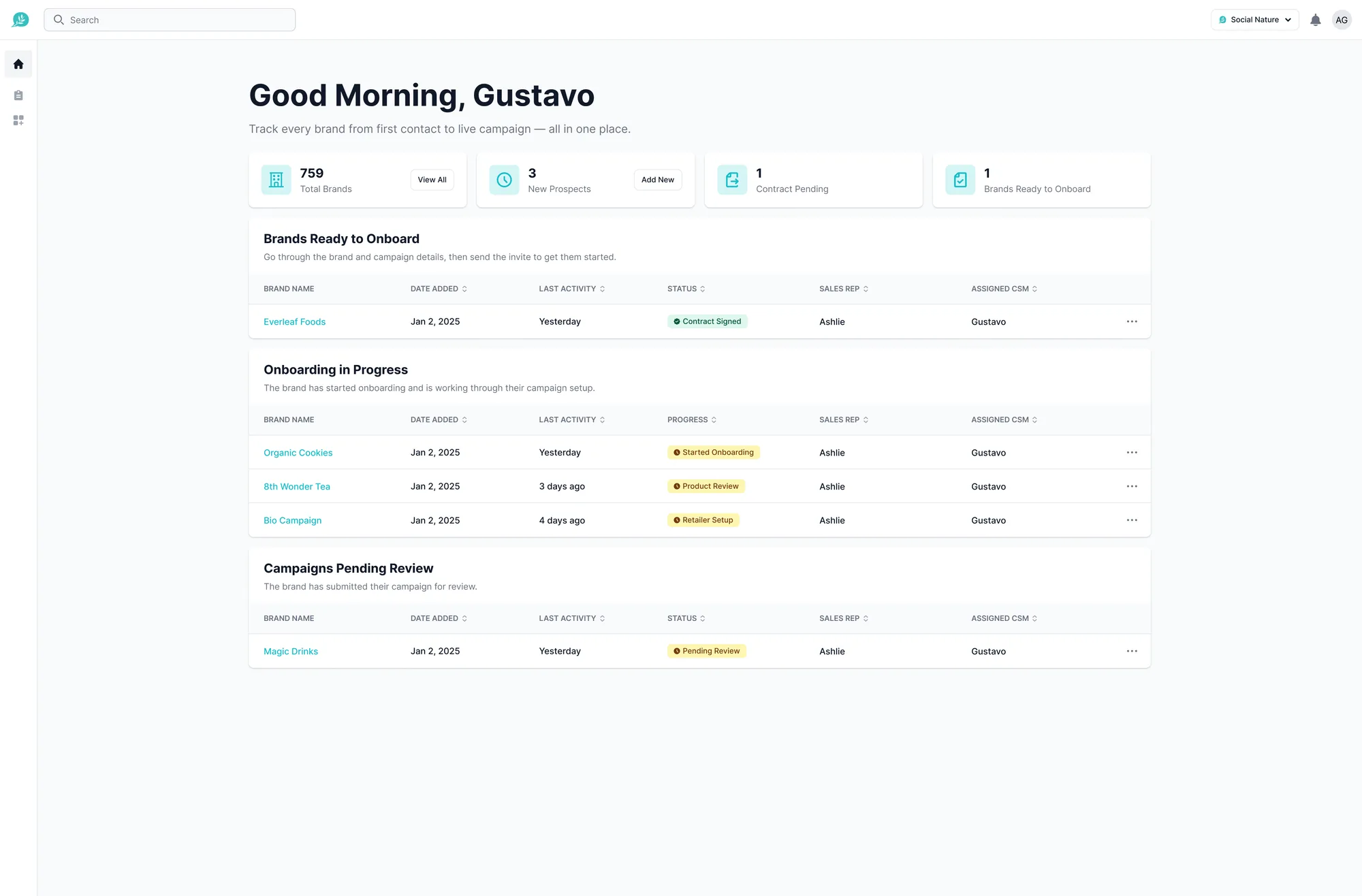
The CS team home in the brand portal: totals for brands, new prospects, pending contracts and brands ready to onboard, then tables for brands ready to onboard, onboarding in progress and campaigns pending review
The CS team’s home. Every brand, from first contact to live campaign, in one place.

01 Context

Brands ran a campaign. Then they waited.

Social Nature gets shoppers to try new products from CPG brands, with cashback offers at retailers like Kroger and Albertsons. The brand portal is where those brands set up campaigns and see how they did.

Brands waited on kickoff calls, waited on Customer Success to set things up, and waited again for someone to pull the results into something they could take to a retailer. Every new brand meant more hands-on hours for CS and Ops.

Launching took weeks. Proving it worked took longer.

02 What I found

Brands weren’t stuck on a screen. They were stuck in a loop.

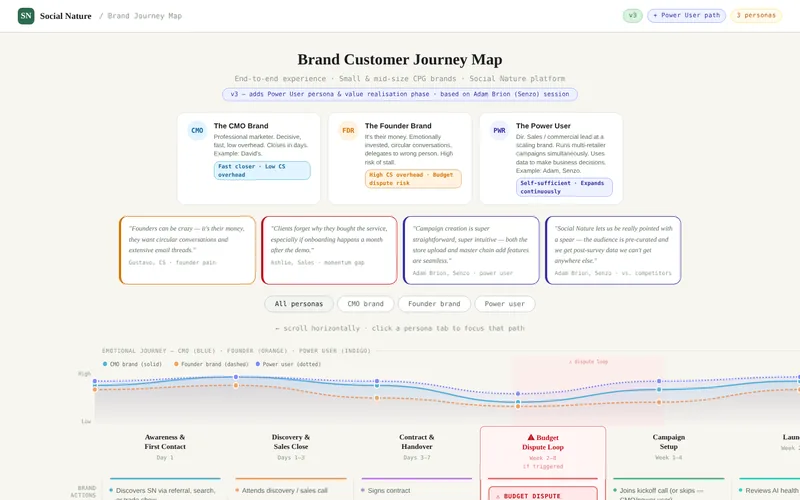
I mapped how brands really got onboarded, across three personas. The drop-off wasn’t one bad form. It was the budget: brand, sales and CS going back and forth on it before anything could launch.

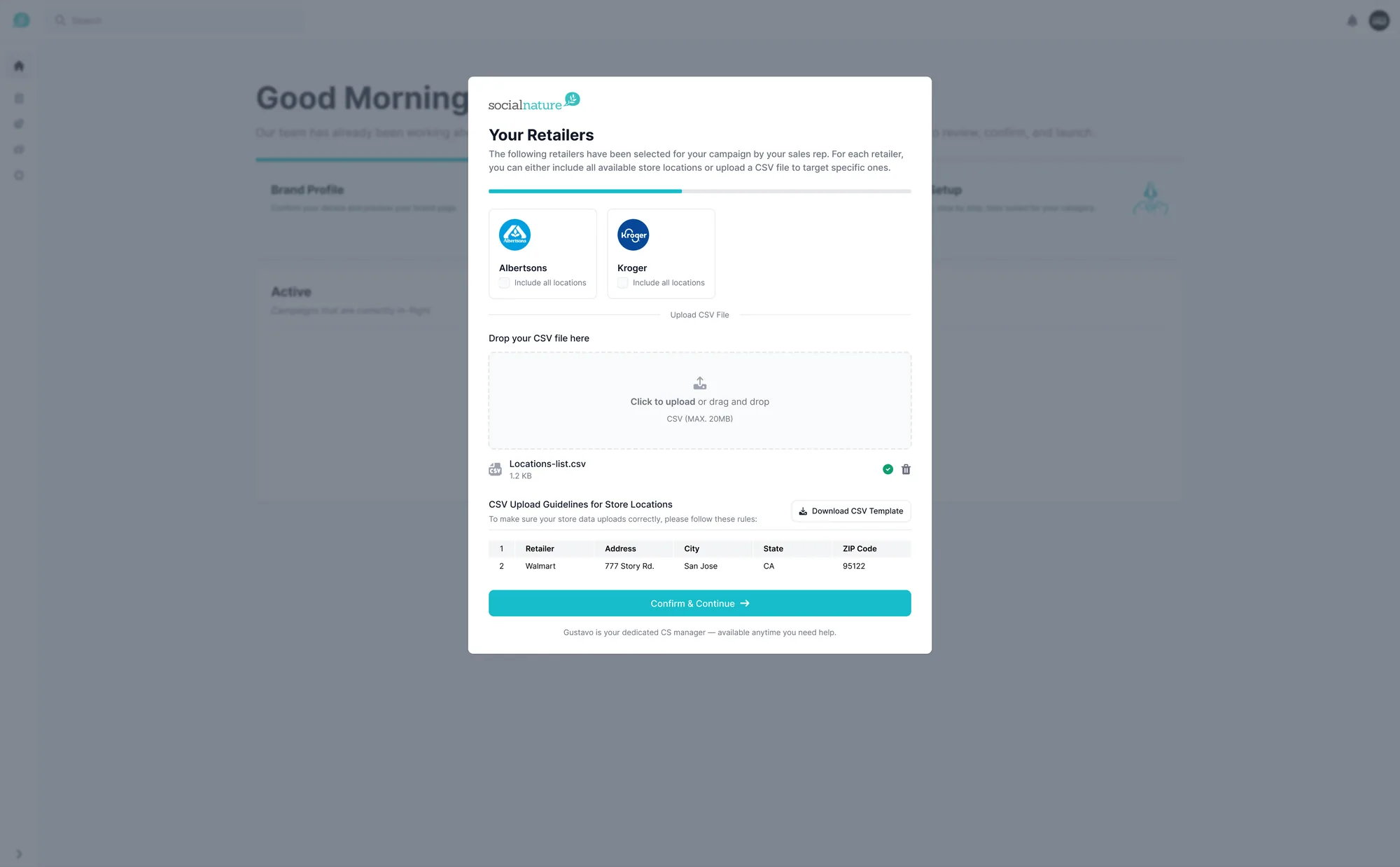
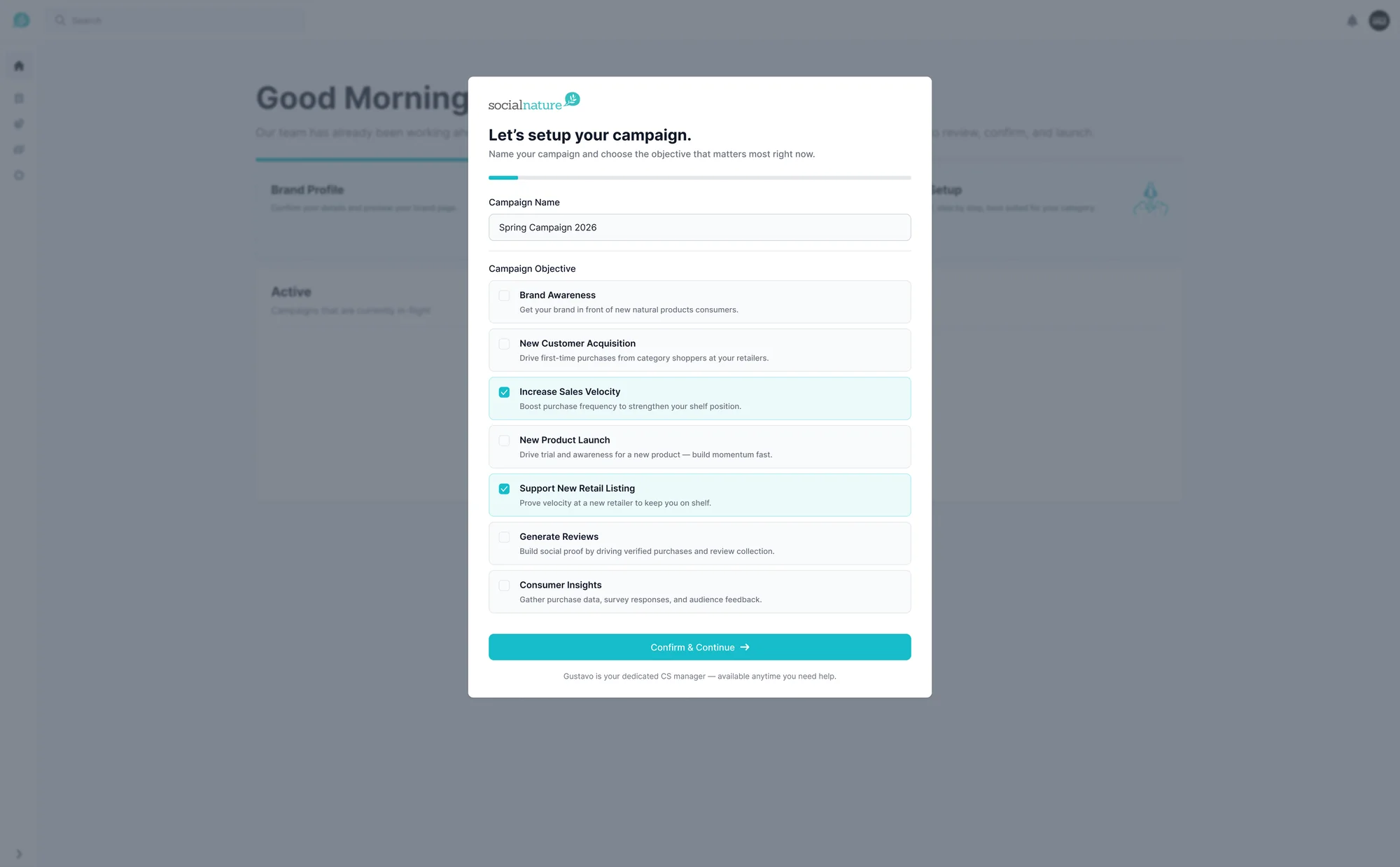
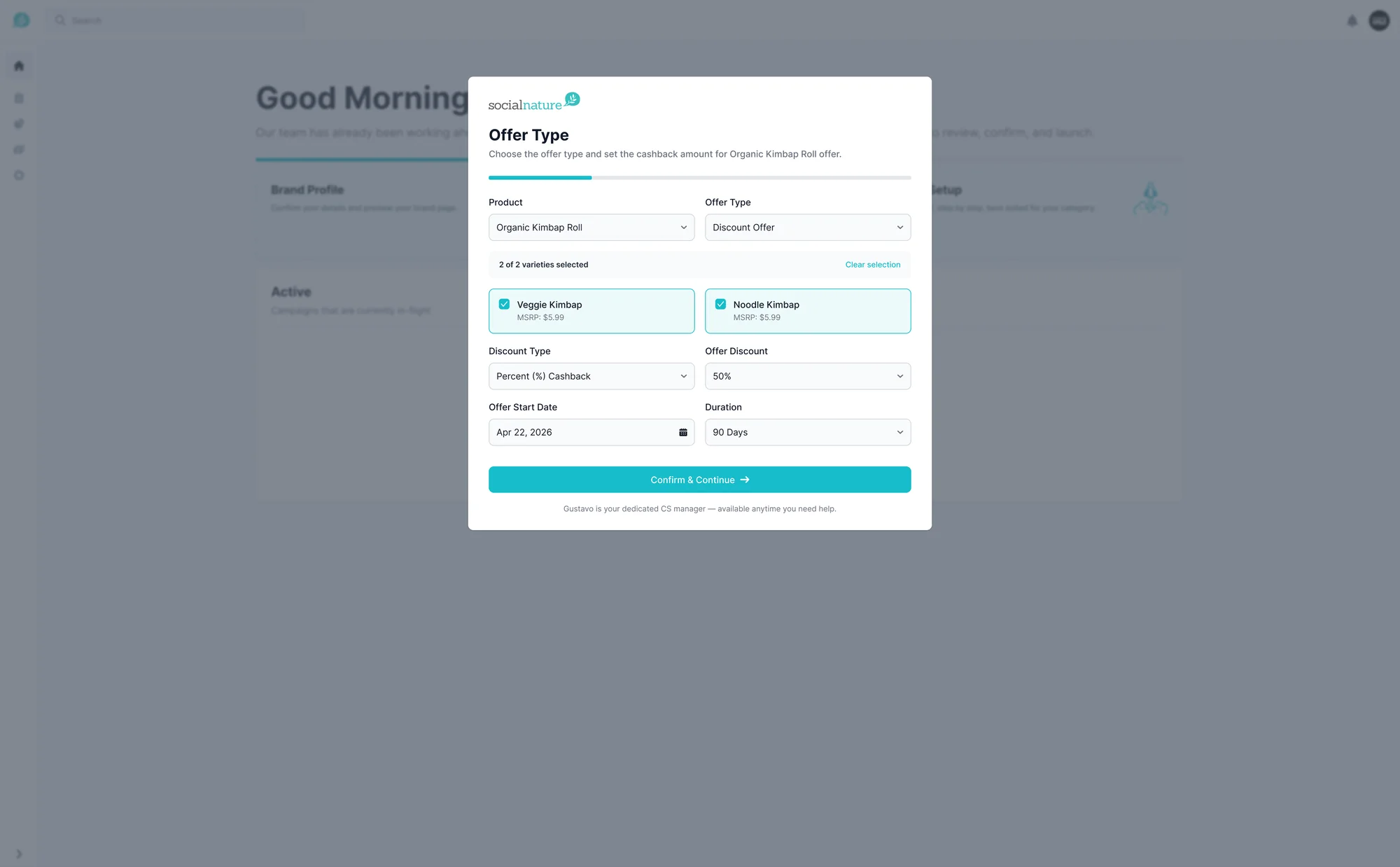
That led to the big call. Sales and CS do the setup up front, so a brand’s first login is confirming, not configuring.

Before weeks

  1. Contract signed
  2. Kickoff call
  3. Brand fills in the setup
  4. Budget back and forth
  5. CS fixes it
  6. Launch
  7. Results pulled by hand

After 3 days

  1. Sales adds the prospect
  2. CS builds the campaign
  3. Invite sent
  4. Brand confirms
  5. Live
  6. AI writes the report ≤ 5 min
Research, live fileCustomer journey mapThree personas end to end, and where the budget loop starts. Open it

03 Decisions

Three calls that made the difference.

Move the setup to our side. The brand’s first login is a yes, not a form.

After the first MVP launched, it was clear onboarding was where brands dropped off. I found the drop-off points and reworked the flow with the CS team: sales and CS set everything up front, the brand checks it and confirms.

Then we brought AI into the CS side to do that setup faster. First as a Chrome extension, then built right into the portal.

CS onboarding time
−29%
Ops workload per client
Halved
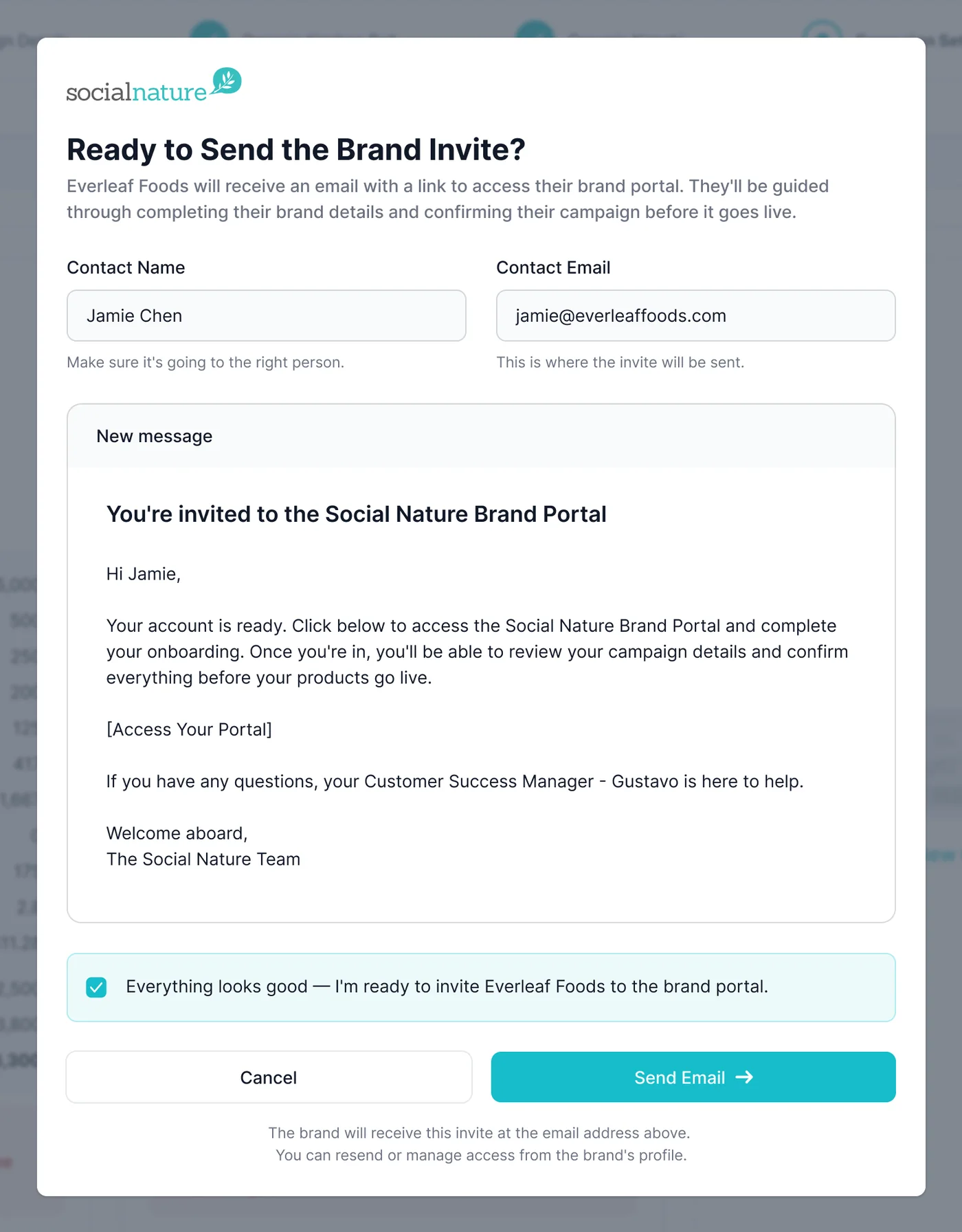
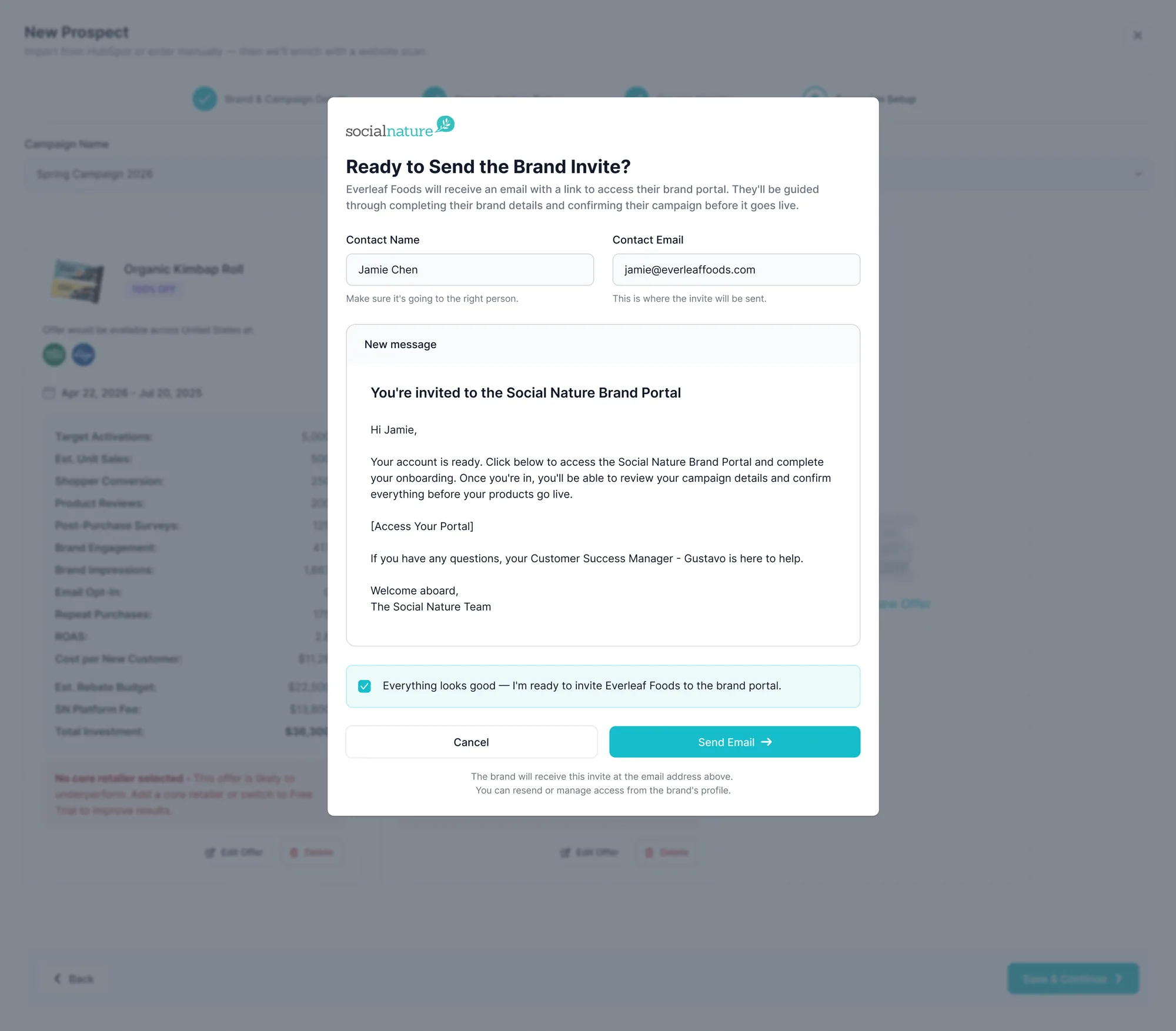
CS sends the brand invite: contact name and email, a preview of the invitation email, and a confirmation checkbox before Send Email
CS side: check it, tick the box, send the invite.
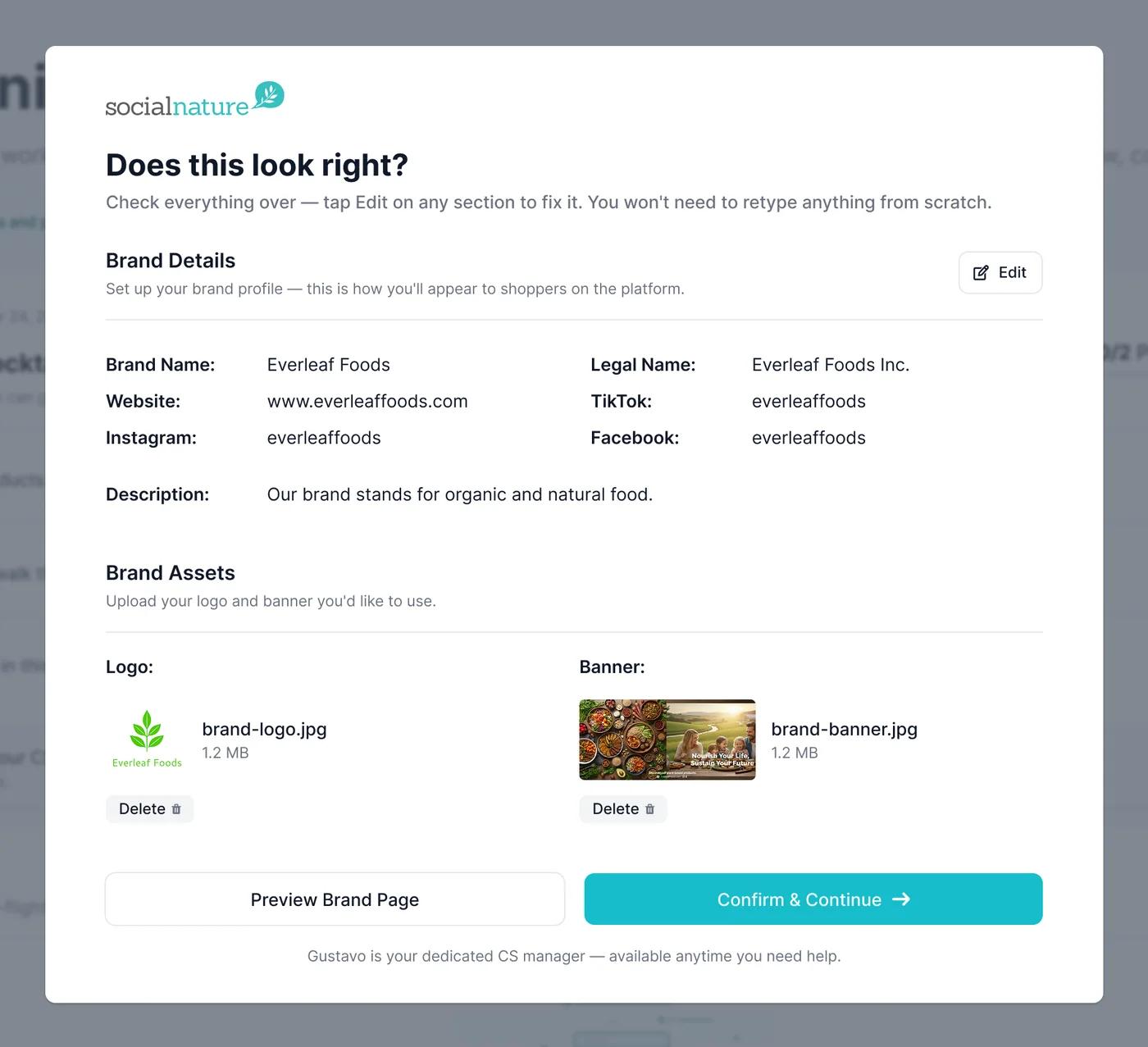
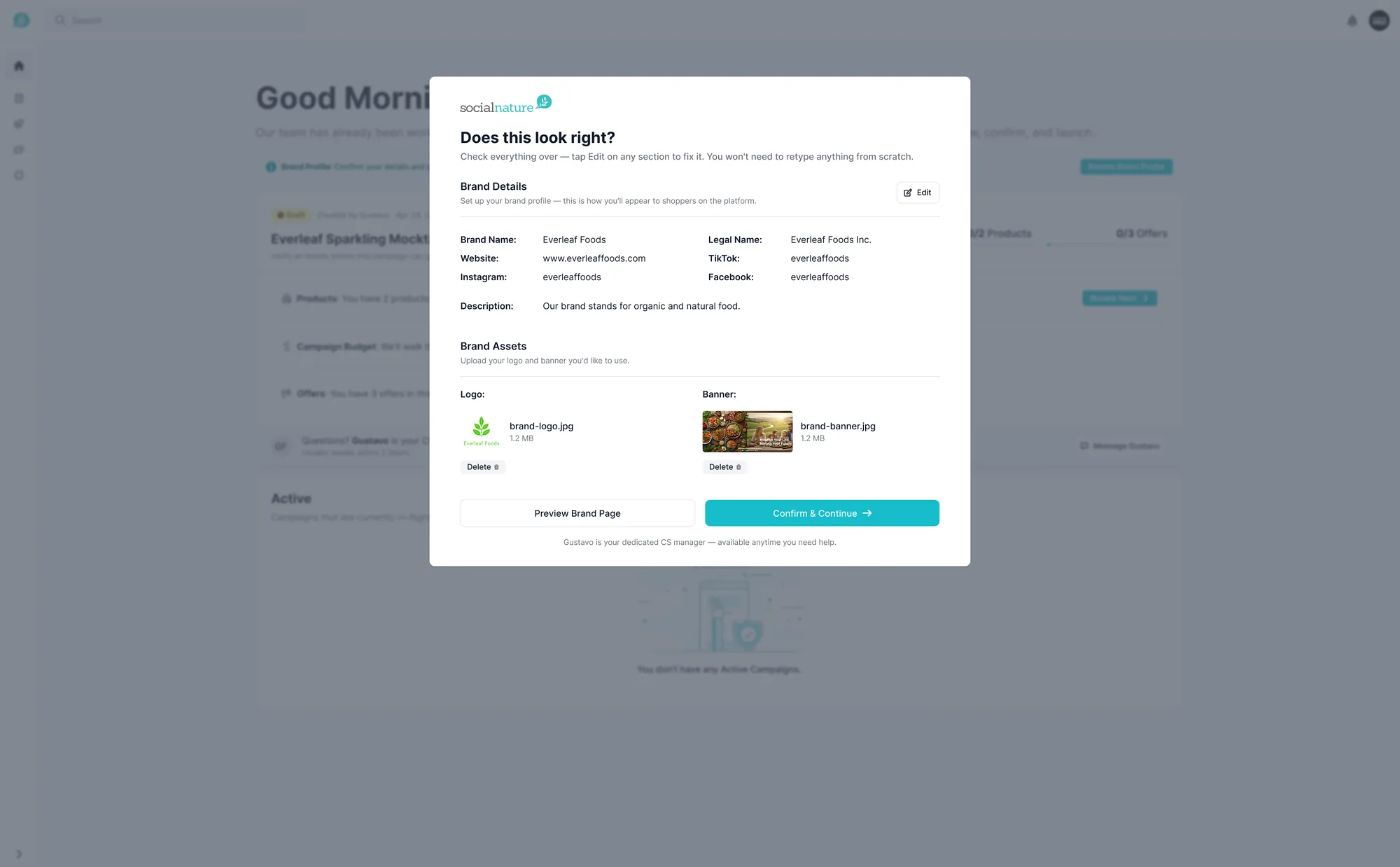
Brand side: Does this look right? Brand details and assets already filled in, with Edit, Preview Brand Page and Confirm and Continue
Brand side: “You won’t need to retype anything from scratch.”

Take the design system out of Figma and into code.

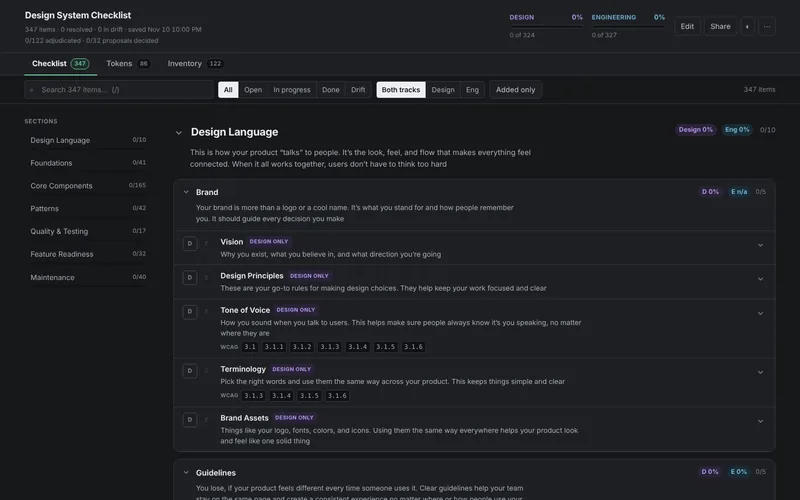
A system that lived in Figma kept us one step away from the real thing. I made it more dynamic and direct to code, so I could prototype features that actually work and test ideas with real interactions, not clickable pictures.

Design checks
347
Tokens
86
Components
122

Let AI write the report. Keep the brand in charge of what changes.

Making sense of results was the biggest job still done by hand. I designed, tested and shipped the AI reporting feature. It analyzes each offer, recommends what to change based on what it finds, and writes the retailer report.

Brands get the insight and a next step, not a spreadsheet.

AI retailer report
≤ 5 min
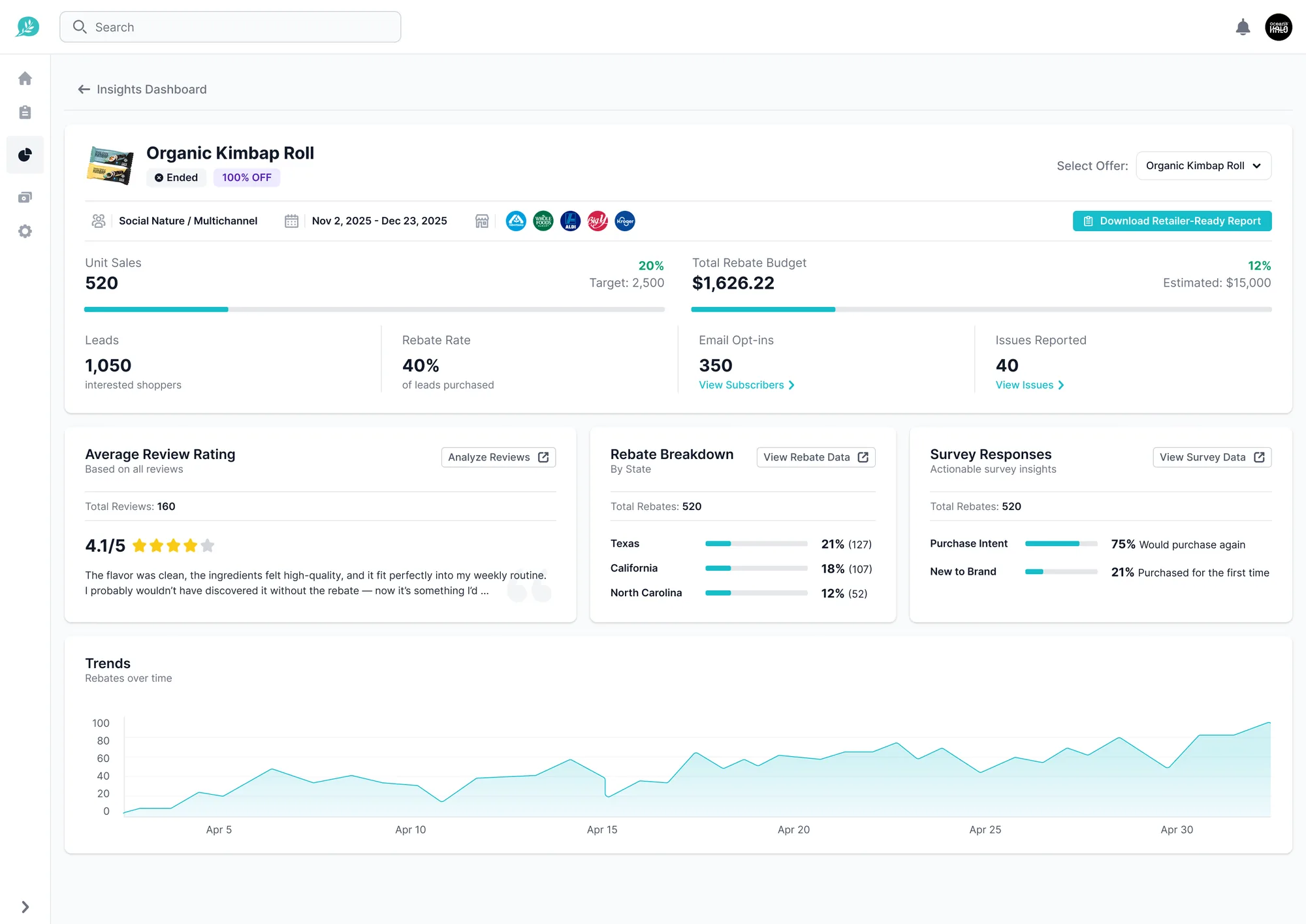
Offer insights for an ended Organic Kimbap Roll offer, with a Download Retailer-Ready Report button: unit sales against target, rebate budget, leads, rebate rate, email opt-ins, issues, average review rating, rebate breakdown by state, survey responses and a trend chart
When an offer ends, the retailer-ready report is one click away: “Download Retailer-Ready Report.”

04 Results

Smaller brands became profitable to serve.

In productionFrom manual to momentum
AI retailer report
≤5 min
Campaign setup
3 days
Daily active brands
4.8×
Feature adoption
68%
Ops team lift
+49%

05 Screens

The whole flow, from the CS desk to the report.

Screens

Click to step through
  1. CS 01CS home
  2. CS 02Send invite
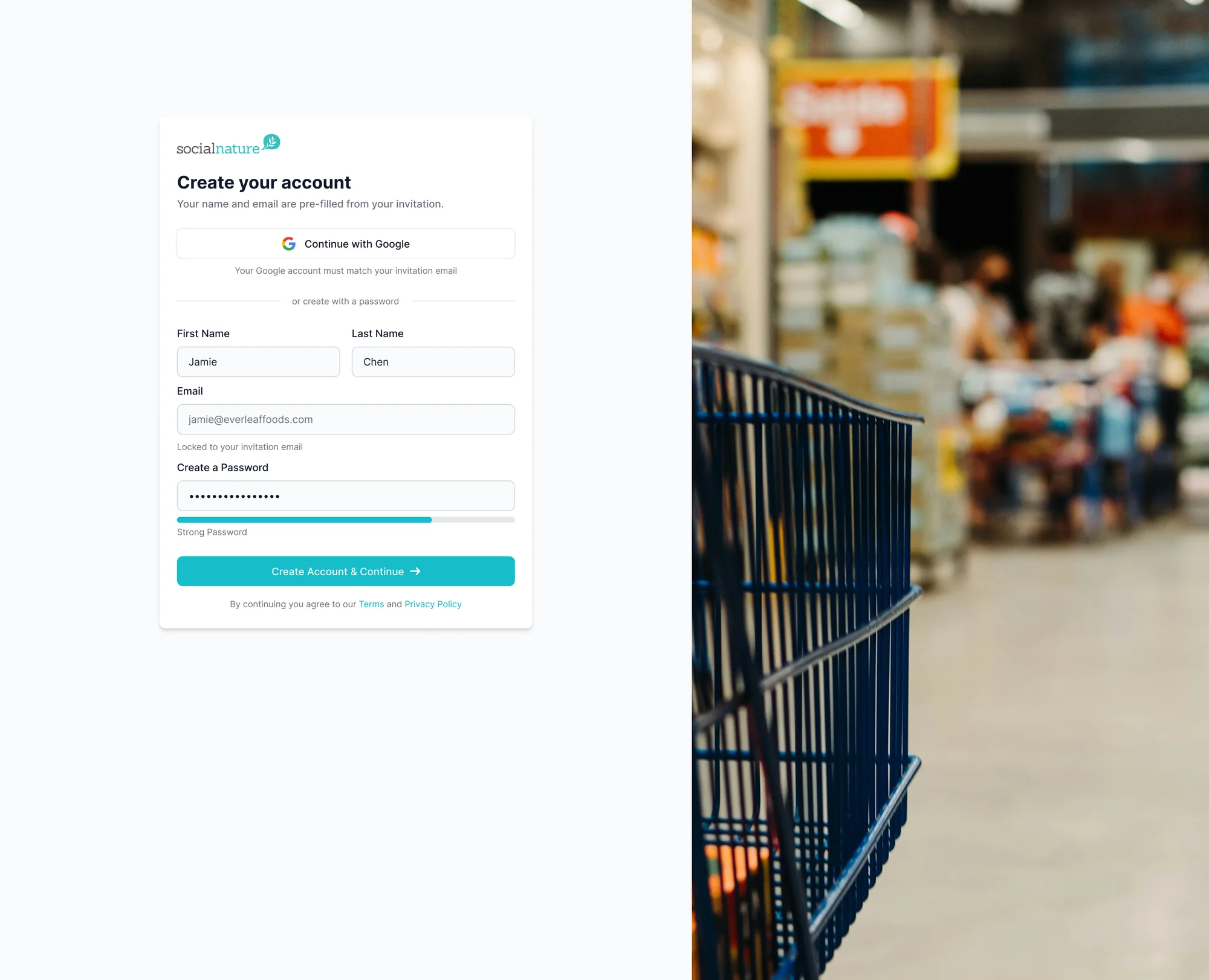
  3. Brand 01Sign up
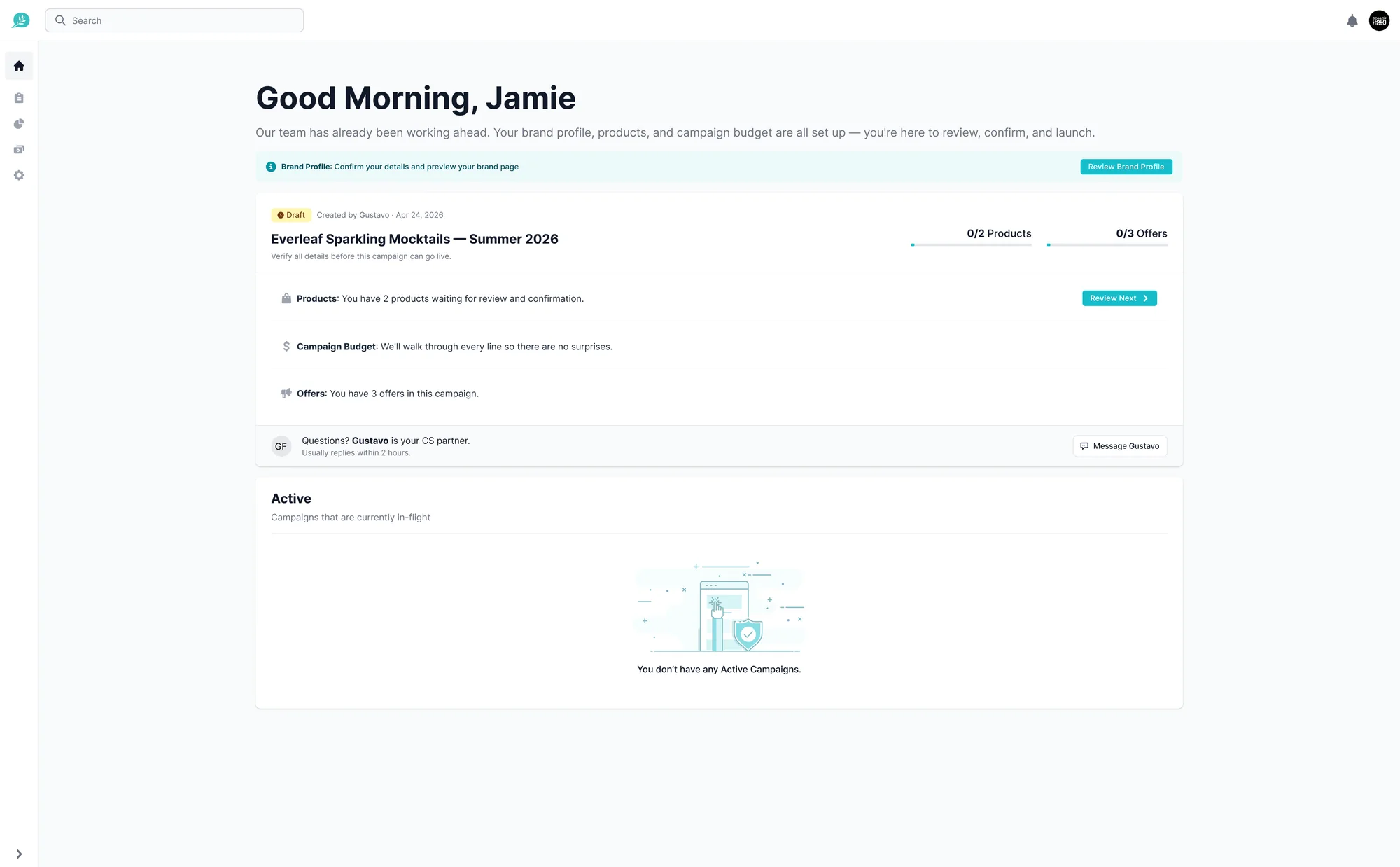
  4. Brand 02Brand home
  5. Brand 03Confirm profile
  6. Brand 04Retailers
  7. Brand 05Campaign
  8. Brand 06Offer
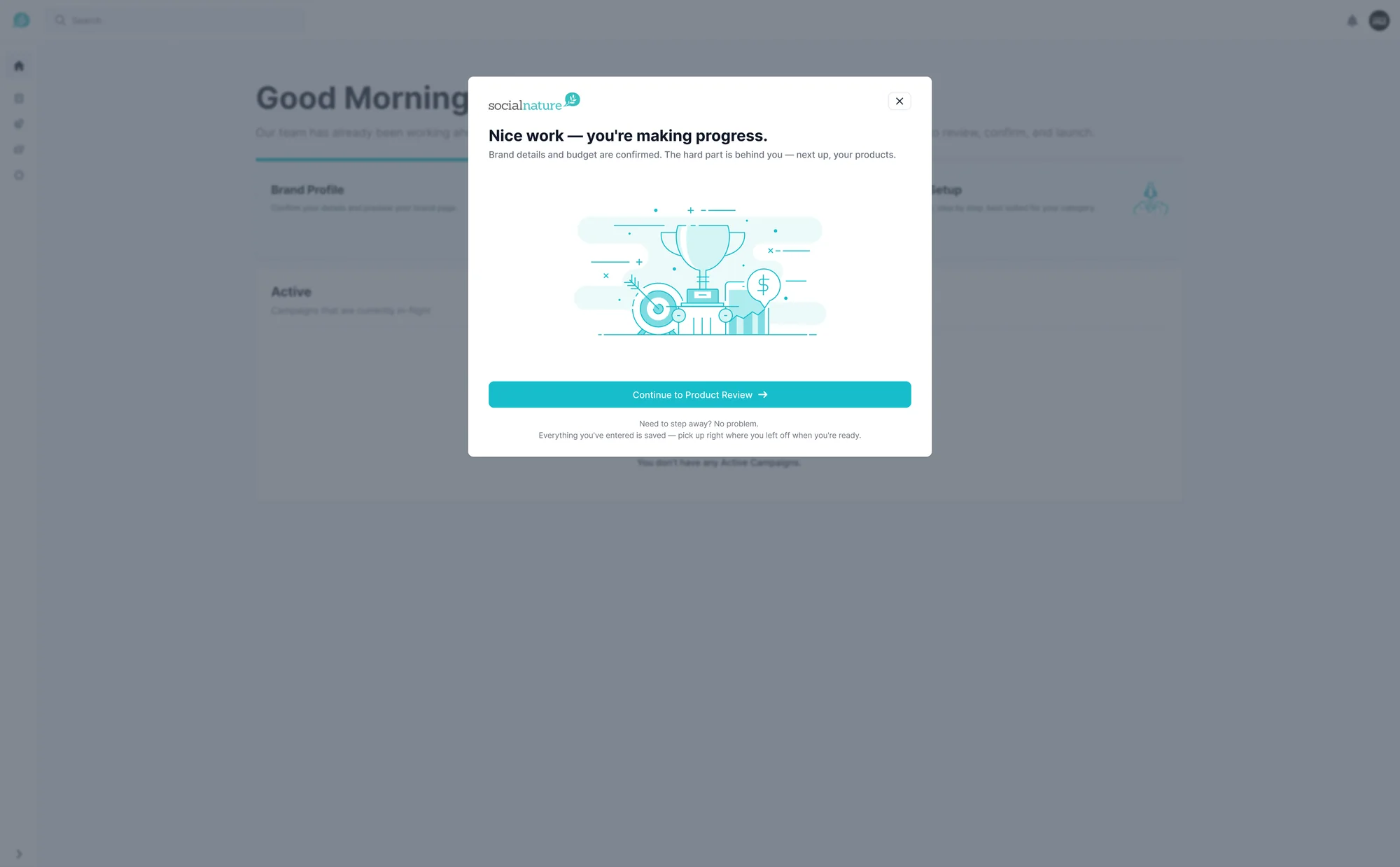
  9. Brand 07Progress
  10. Brand 08Insights

Artifacts

3 live files
  1. Research Customer journey map Three brand personas end to end, with the emotional arc and where the budget dispute loop starts.
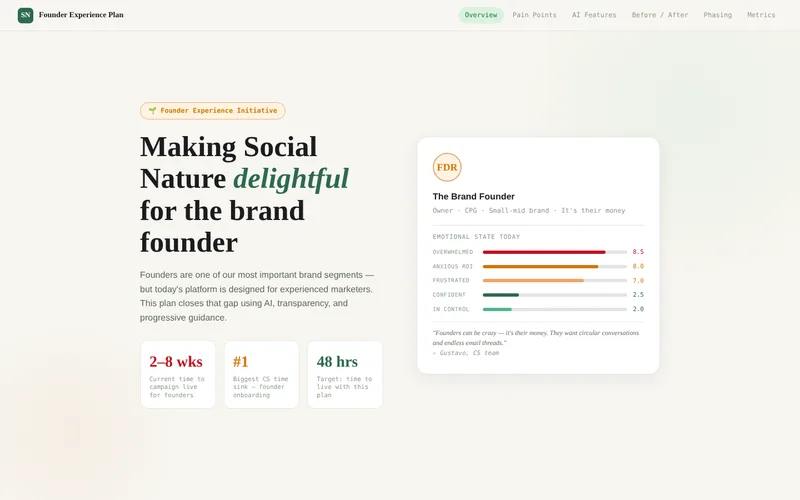
  2. Research Founder experience plan Pain points, AI features and phasing to make the platform work for small-brand founders.
  3. Design system Design system checklist 347 checks across design and engineering, with 86 tokens, a 122-component inventory and WCAG links.

06 Next

AI earned its place by removing friction, not by being on the roadmap.

Shipped

  • Setup moved to the CS side, with AI help
  • Confirm-first onboarding for brands
  • AI offer analysis and retailer report
  • A design system that lives in code

What I’d do next

Push AI upstream into campaign setup, and measure it the same way: does it give someone their week back?

Next case Edgesss From impulse to discipline

Building something with AI in it?